Data Erasure Report & Report Letter
Raminfotech Data Recovery provides data erasure reporting for supported storage devices after sanitization. The report can record the erase method, device information, result, verification status and other job details for your reference.
Secure Erasure
Sanitize Data on HDD, SSD & USB Storage Devices
Disk sanitization software can be used to destroy data on hard disks, SSDs and USB storage devices so that deleted files and folders cannot be recovered through normal recovery methods.
The existing workflow on this page uses KillDisk-related erasure tools and supports U.S. DoD 5220.22-M together with multiple international data sanitization standards.
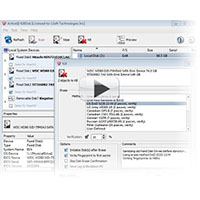
Multi-Drive Processing
Automated Disk Erasure
The existing page describes a disk sanitation workflow that can be used for automated erasure of multiple storage devices. This can be useful where organizations need a repeatable process for preparing drives for disposal, reuse or internal asset handling.
Erasure jobs can be documented with status and result information so that the completed process can be reviewed later.
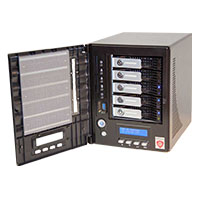
Industrial Use
Industrial-Grade Disk Sanitization
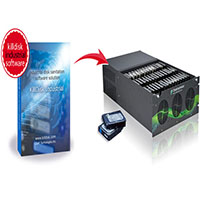
The original page also describes an industrial disk sanitization software workflow for larger environments using Windows or Linux platforms. It is intended for parallel erasure and automated operation where many storage devices need to be processed.
The process can use U.S. DoD 5220.22-M and other supported sanitization methods, depending on the configuration selected for the erasure job.
What the Report Can Show
Typical Data Erasure Report Details
Storage Device Details
Drive name, model, serial number and capacity
Erase Method
Selected sanitization standard or erase method
Start & Duration
Time information recorded during the erase process
Result
Completed status and error information
Erase Passes
Pass information when multi-pass erasure is used
Verification
Verification or confirmation status where available
Simple Workflow
How the Data Erasure Report Process Works
01
Submit the Storage Device
The supported HDD, SSD or USB device is registered for the erasure job.
02
Select the Erase Method
The appropriate supported sanitization method is selected for the job.
03
Run the Erasure Process
The erase operation is performed and job information is recorded.
04
Verify the Result
The completed process is checked and result information is reviewed.
05
Provide Report / Record
The available erase details can be provided as a report or record for reference.
Important
The exact report fields depend on the storage device, erasure software and selected sanitization method. Contact Raminfotech Data Recovery if you need a specific report format or confirmation before sending your device.
Need Help With Lost or Inaccessible Data?
Tell us your device type, capacity and issue such as not detecting, clicking, formatting, deleted files, slow reading, SSD failure or RAID problem.